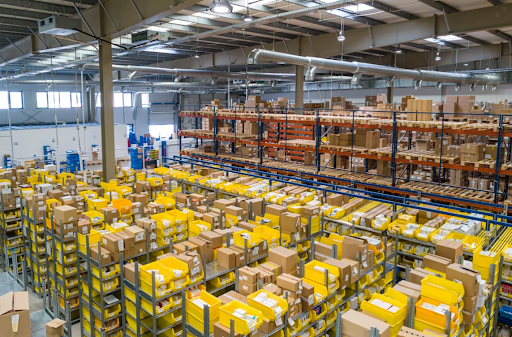

Warehouse automation delivers value only when the operation is ready for it. Most projects fail because they are introduced into inefficient processes, connected to poor-quality data, or expected to solve problems they were never designed to address.
For this reason, automation should begin with a thorough assessment of processes, systems, inventory, and operational constraints. Real operating conditions, including peak demand, equipment failures, labour shortages, and inventory exceptions, should be tested before investment decisions are made. Once automation is deployed, shared performance metrics and clear ownership across operations, engineering, IT, and vendors are equally important to sustain results.
In this blog, we’ll examine the eight biggest warehouse automation challenges and the strategies enterprises can use to overcome them.
1. Automating Inefficient Warehouse Processes
Warehouse automation cannot fix an inefficient process. It simply makes the same bottleneck happen faster. If receiving, replenishment, picking, or packing already creates delays, automation will reinforce those inefficiencies instead of eliminating them.
Before investing in automation, analyze event-level operational data instead of monthly averages. Apply the theory of constraints to identify the true constraint and improve it first.
Focus on automating the highest-friction processes:
- Modernize the warehouse receiving process with barcode or RFID scanning, smart sensors, and conveyor automation to reduce manual data entry and accelerate putaway.
- Improve warehouse inventory management using automated barcode systems, RFID, or drone-assisted cycle counting to maintain accurate, real-time inventory visibility.
- Increase warehouse picking optimization with Autonomous Mobile Robots (AMRs), Goods-to-Person systems, or Automated Guided Vehicles (AGVs) to reduce travel time and improve throughput.
- Upgrade the warehouse management system to automate task assignment, replenishment, and inventory updates instead of relying on manual decisions.
- Track queue duration, blocked locations, replenishment touches, travel time, exception frequency, and equipment interference to pinpoint where congestion begins.
- Automate repetitive material movement with conveyors and pallet transport systems so employees can focus on exception handling instead of routine travel.
Synkrato‘s 3D Digital Twin and Simulation & Optimization help enterprises test process improvements, identify bottlenecks, and optimize peak-demand workflows before automation equipment is installed.
2. Integrating with Legacy WMS and ERP Systems
Integrating legacy systems is not limited to connecting software. Every system must use the same inventory, location, and transaction data, or automation will amplify errors instead of improving performance.
Before deployment, establish a single source of truth across WMS vs. WES vs. WCS and validate every interface under both normal and failure conditions.
Key integration practices include:
- Audit legacy systems to identify custom workflows, data fields, hardware limitations, and dependencies.
- Standardize SKU numbers, units of measure, transaction codes, and location data before integration.
- Select the right integration method:
- APIs for real-time communication.
- EDI for high-volume supply chain transactions.
- SFTP/FTP for scheduled file transfers.
- Direct database access where legacy systems support it.
- Define message rules, retry logic, manual fallback, and cybersecurity requirements.
- Test duplicate messages, missing confirmations, partial picks, canceled orders, equipment failures, and recovery scenarios.
- Roll out integrations in phases to reduce warehouse automation implementation challenges.
A 2026 Rockwell Automation study of 1,560 manufacturers across 17 countries found that only 22% of Asia-Pacific organizations had fully integrated execution systems, while 40% cited ERP and enterprise systems as their biggest warehouse automation integration challenge. This shows how warehouse automation performs best when every connected system operates from the same data.
3. Poor Data Quality and Limited Visibility
Warehouse automation depends on accurate, real-time data. Poor master data, manual processes, and disconnected systems reduce visibility, causing inventory errors, delayed fulfillment, and inefficient automation.
Improve data quality before deploying automation by focusing on these areas:
- Build a pre-automation data gate covering SKU dimensions, weight, packaging hierarchy, barcode structure, lot and serial rules, location status, replenishment logic, and exception codes.
- Eliminate manual data entry with warehouse scanning systems, barcode scanners, RFID, or mobile devices at every inventory touchpoint.
- Integrate the warehouse management system with ERP and other business systems to create a single, real-time view of inventory.
- Replace annual stock counts with daily cycle counting to identify discrepancies before they affect operations.
- Track inventory management KPIs such as location accuracy, inventory adjustments, scan compliance, short-pick rate, and the time between a physical event and its system confirmation.
- Prevent process gaps by recording temporary storage locations, inventory moves, and replenishment activity as they occur.
UPS demonstrates the value of reliable data capture. By April 2026, RFID sensing was active across all UPS package vehicles and delivery facilities in the United States. Also, it was on packages shipped through more than 5,500 UPS Store locations after an investment of more than $100 million. This highlights how automation helps when dependable data is captured before decisions are made.
4. High Upfront Costs and ROI Uncertainty
Warehouse automation cost challenges extend far beyond equipment. Many business cases underestimate software integration, facility upgrades, testing, training, maintenance, downtime, and future expansion, making Warehouse Automation ROI difficult to predict.
Build a realistic investment model before purchasing automation:
- Calculate the total cost of ownership (TCO), including hardware, software, integration, facility retrofits, training, maintenance, and ongoing support.
- Measure benefits at the process level, including hourly throughput, cost per order line, replenishment labor, inventory damage, overtime, space utilization, service levels, and recovery time.
- Compare Brownfield vs. Greenfield in warehousing, along with phased automation to identify the most cost-effective deployment strategy.
- Use digital simulations to validate layouts, workflows, throughput, and payback before investing in equipment.
- Consider robotics-as-a-service (RaaS) to reduce upfront capital costs through subscription-based automation.
- Improve ROI with low-cost changes such as warehouse slotting optimization and better vertical space utilization before investing in large automation projects.
Synkrato’s Simulation & Optimization allows businesses to evaluate layouts, automation scenarios, and expected Warehouse Automation ROI before making capital investments.
5. Workforce Adoption and Change Management
Warehouse automation changes decision rights, job responsibilities, safety procedures, performance metrics, and daily workflows. Successful implementation depends on preparing people for new ways of working, not just deploying new technology.
Build workforce adoption into the automation program by focusing on these areas:
- Engage frontline employees, shift leads, and supervisors early during planning, workstation design, vendor evaluation, and workflow testing.
- Communicate what is changing and explain how automation improves safety, reduces repetitive work, and supports business goals.
- Develop role-specific playbooks covering operators, technicians, supervisors, planners, engineers, and IT support.
- Train employees on normal operations, degraded modes, lockout procedures, error recovery, and when to override or stop automated systems.
- Appoint change champions who encourage adoption, share practical experience, and support teams during implementation.
- Cross-train employees in digital tools, data interpretation, and human-robot collaboration while creating clear career development pathways.
- Use pilot programs, pulse surveys, town halls, and continuous feedback loops to identify operational challenges and refine processes before full deployment.
A survey, based on responses from more than 1,700 warehouse associates and decision-makers, found that 54% of organizations adopting automation expected higher worker efficiency. Moreover, 53% expected fewer order errors and less manual picking, reinforcing the value of people-first automation strategies.
6. Scaling Automation Across Multiple Facilities
A successful pilot can fail at the second site because buildings, product profiles, labor availability, service levels, and local systems differ. Scaling warehouse automation requires a standardized operating model with enough flexibility to accommodate site-specific constraints.
Build a repeatable framework before expanding automation across facilities:
- Deploy a unified warehouse execution software (WES) and warehouse management system (WMS) to coordinate inventory, workflows, and robotic fleets across all locations.
- Use standardized APIs to connect local automation with corporate ERP systems and enable consistent data exchange.
- Monitor inventory, throughput, labor, and equipment performance across facilities through centralized, real-time visibility dashboards.
- Select modular technologies such as autonomous mobile robots (AMRs) and expandable AS/RS systems that can scale without major facility redesigns.
- Create standardized automation pods, process libraries, data definitions, safety controls, test scripts, KPIs, and governance that can be replicated across warehouses.
- Standardize workforce training, safety procedures, and quality practices while preparing local teams for operational changes.
- Apply data-driven slotting by using consistent SKU weight, size, and velocity rules across facilities.
- Assess each location with a site-readiness score covering data quality, utilities, floor conditions, network capacity, workforce capability, inventory profile, and expected change volume.
Synkrato’s 3D Digital Twin extends this concept by enabling standardized planning while accounting for each site’s operational differences.
7. Selecting the Right Automation Technologies
Warehouse automation should be selected based on operational requirements, not vendor categories. The right solution depends on workflows, inventory characteristics, facility constraints, and long-term business goals rather than the fastest or most advanced equipment.
Evaluate automation technologies using these criteria:
- Conduct an operational analysis to map material flow, identify bottlenecks, and measure labor-intensive activities.
- Review SKU profiles, including item size, weight, handling requirements, and inventory velocity.
- Assess facility constraints such as floor space, ceiling height, building layout, and utility capacity.
- Match technologies to operational needs:
- Use Autonomous Mobile Robots (AMRs) for flexible material movement and changing layouts.
- Deploy Vertical Lift Modules (VLMs) or vertical carousels where floor space is limited.
- Implement Goods-to-Person systems, pick-to-light, or voice picking for faster order fulfillment.
- Use Automated Guided Vehicles (AGVs) or robotic palletizers for repetitive heavy-load transport.
- Compare each solution by supported SKU range, throughput, utilization, recovery time, footprint, software integration, maintenance requirements, scalability, and Total Cost of Ownership (TCO).
- Evaluate the complete workflow, including receiving, replenishment, storage, picking, packing, and dispatch.
- Start with a pilot deployment and choose technologies that can expand as demand grows.
8. Maintaining Performance After Deployment
Go-live is the beginning of performance management. Performance can decline as SKU mix changes, equipment ages, software evolves, preventive maintenance is delayed, or operators develop workarounds that bypass standard processes.
Maintain long-term warehouse performance through continuous monitoring and improvement:
- Track key KPIs such as order accuracy, units per labor hour, cycle time, throughput, equipment availability, blocked time, recovery duration, queue age, and inventory accuracy.
- Identify bottlenecks by monitoring delays, idle time, and congestion in receiving, storage, picking, packing, and shipping areas.
- Gather regular feedback from warehouse associates to identify operational issues before they affect performance.
- Perform preventive maintenance on forklifts, conveyors, robots, sensors, and automated equipment to reduce unexpected downtime.
- Keep aisles clear, maintain clean work areas, and update warehouse software, barcode scanners, and WMS applications to improve reliability and safety.
- Re-slot inventory as SKU demand changes and perform regular cycle counts to maintain accurate inventory records.
- Retrain employees on updated workflows, safety procedures, and standard operating practices after process or system changes.
- Maintain a protected test environment for control logic, WMS releases, routing rules, and new item profiles, and repeat the warehouse safety checklist after layout, software, or equipment changes.
How Synkrato Helps Enterprises Overcome Warehouse Automation Challenges
Synkrato creates a shared operating model before automation decisions become expensive physical commitments.
- The 3D Digital Twin maps racks, inventory, equipment, routes, workstations, safety zones, and building constraints, exposing spatial conflicts and incomplete assumptions.
- Simulation & Optimization tests demand peaks, equipment failures, labour shortages, replenishment rules, layout options, and automation scenarios against throughput and service targets.
- AI Slotting evaluates SKU velocity, compatibility, travel, replenishment, and storage constraints so automated and manual picking zones remain balanced.
- AI Agents monitor operating signals, surface emerging bottlenecks, and support faster exception decisions without replacing control-system safety logic.
- Enterprise Labeling and Mobility strengthen item identity, scan discipline, and execution consistency across facilities.
Together, these capabilities help enterprises connect warehouse planning, data readiness, technology selection, capital evaluation, and post-deployment optimisation in one decision framework. Book a demo with Synkrato to test automation choices before they become fixed costs.
FAQ
What are the biggest challenges of warehouse automation?
The main warehouse automation challenges include unstable processes, poor data, legacy-system integration, uncertain ROI, workforce resistance, and weak post-go-live control. Most failures begin with operating-model gaps rather than equipment limitations.
How does Synkrato help businesses overcome warehouse automation challenges?
Synkrato creates a digital model of layouts, inventory, equipment, workflows, and constraints. Its 3D Digital Twin and simulation tools help teams identify bottlenecks, unsafe interactions, and capacity risks before deployment.
Why do warehouse automation projects fail?
Warehouse automation projects fail when the systems rely on averages, ignore exceptions, or use unreliable operational data. They also struggle when companies automate inefficient processes or select equipment before defining system, workforce, and recovery requirements.
How does Synkrato reduce risks associated with warehouse automation implementation?
Synkrato enables teams to test layouts, workflows, automation options, and peak scenarios virtually. This helps reveal congestion, capacity limits, and integration risks before businesses commit to equipment, construction, or major system changes.
How does warehouse automation impact existing workflows and processes?
Warehouse automation changes task sequencing, replenishment timing, inventory confirmation, labour roles, maintenance, and exception handling. Existing processes must be redesigned around equipment capabilities and system controls rather than transferred without modification.
Can Synkrato help businesses plan and optimise automation projects before deployment?
Yes. Synkrato’s 3D Digital Twin and Simulation & Optimization tools compare layouts, technologies, labour plans, and throughput scenarios before installation, helping reduce late design changes, commissioning delays, and unnecessary capital spending.
What should companies consider before investing in warehouse automation?
Companies should assess demand variability, SKU profiles, process stability, data quality, facility constraints, workforce readiness, safety, and lifecycle cost. They should also test expected performance during peaks, failures, and future growth.