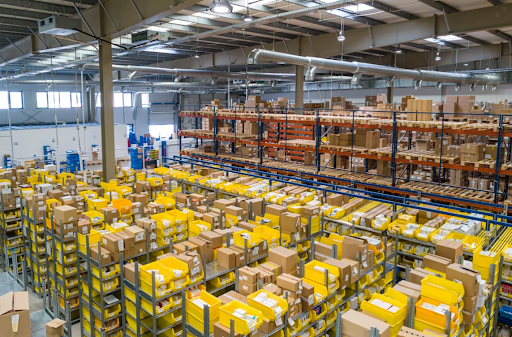

A Warehouse Management System (WMS) is software that helps businesses manage inventory, streamline warehouse operations, and improve order fulfillment from receiving to shipping. As supply chains become more complex, a WMS helps increase inventory accuracy, reduce manual errors, and boost productivity. Understanding how it works is the first step toward building a more efficient and scalable warehouse.
In this blog, we’ll break down what a warehouse management system is, how a warehouse management system works, its core features, the different types of warehouse management systems, and key benefits.
What is a Warehouse Management System (WMS)?
A Warehouse Management System (WMS) is software that controls and optimizes the movement of inventory inside a warehouse, from receiving and putaway to picking, packing, shipping, and returns.
At its core, a warehouse inventory management system keeps storage logic, stock movement, and order execution aligned so the floor operates from one live source of truth. It gives you real-time visibility into stock levels, storage locations, labor tasks, and order status so warehouse operations run with higher accuracy, faster throughput, and lower manual effort.
This warehouse management software ensures every product is stored in the right location, every picking task follows the most efficient route, and every inventory update is reflected instantly across systems.
How Does a Warehouse Management System Work?
A Warehouse Management System (WMS) coordinates every stage of warehouse operations, from the moment inventory arrives until orders are delivered or returned. It captures real-time data, assigns tasks, tracks inventory movements, and updates records automatically to improve accuracy and efficiency. By connecting people, processes, and technology, a WMS helps reduce manual errors, optimize labor, and maintain complete inventory visibility throughout the fulfillment cycle.
Receiving Inventory
A WMS verifies incoming shipments against purchase orders, records product details using barcode or RFID scanning, and checks quantities and quality before inventory enters storage. This ensures accurate inventory records from the very first touchpoint.
Putaway
Once inventory is received, the system recommends the best storage location based on factors such as product size, demand, storage capacity, and picking frequency. Intelligent putaway reduces travel time and maximizes warehouse space.
Inventory Management
The WMS continuously tracks inventory levels, storage locations, lot numbers, serial numbers, and stock movements in real time. This improves inventory accuracy, supports cycle counting, and prevents stockouts or overstocking.
Order Picking
When customer orders are received, the WMS generates optimized picking routes and assigns tasks to warehouse staff. It supports multiple picking methods, including batch, wave, and zone picking, to improve productivity while minimizing picking errors.
Packing
After picking, the system verifies the correct products, recommends suitable packaging, generates shipping labels, and prepares orders for dispatch. This helps reduce packing mistakes and improves order accuracy.
Shipping
The WMS coordinates outbound shipments by updating inventory, generating shipping documentation, assigning carrier information, and confirming dispatch. Customers and internal teams receive real-time shipment status updates throughout the delivery process.
Returns Management
Returned products are inspected, recorded, and routed for restocking, repair, recycling, or disposal based on predefined business rules. A structured returns process helps recover inventory faster while maintaining accurate stock records.
Core Features of a Warehouse Management System
A Warehouse Management System (WMS) provides the tools businesses need to streamline warehouse operations, improve inventory accuracy, and optimize order fulfillment. While features vary by provider, most warehouse management software includes the following capabilities:
- Real-time inventory tracking for accurate stock visibility.
- Receiving and putaway management to speed up inbound operations.
- Order picking and packing workflows that improve fulfillment accuracy.
- Barcode and RFID support for faster, error-free data capture.
- Labor and task management to assign and monitor warehouse activities.
- Reporting and analytics to track KPIs and identify operational improvements.
- System integrations with ERP, TMS, eCommerce, and automation platforms.
Benefits of a Warehouse Management System
A warehouse management solution helps businesses improve efficiency by automating routine tasks and providing real-time visibility into inventory and warehouse activities. Better inventory control reduces stock discrepancies, speeds up order processing, and supports more accurate decision-making across the supply chain.
As operations grow, a cloud warehouse management system or other WMS software can scale with increasing order volumes, multiple warehouses, and changing customer demands. The result is lower operating costs, improved customer satisfaction, higher productivity, and more efficient warehouse operations without significantly increasing manual effort.
Types of Warehouse Management Systems
The types of warehouse management systems differ less by basic functionality and more by how deeply they fit into your larger operations stack. The right choice depends on how much control you need on the warehouse floor, how connected your finance and supply chain systems already are, and how quickly you expect fulfillment complexity to grow.
Standalone WMS
A standalone WMS is a dedicated warehouse platform built specifically to manage warehouse execution in depth. It operates independently from your ERP or accounting stack, which gives it more specialized control over floor workflows.
Its purpose is to optimize warehouse-heavy operations where execution complexity is high and generic ERP modules cannot provide enough depth.
Key features include:
- Advanced putaway and slotting rules
- Wave, batch, and zone picking
- Replenishment workflows
- Labor tracking
- Barcode and RFID execution
- Dock scheduling
- Returns processing
- Detailed warehouse analytics
Best for: High-volume warehouses, 3PLs, ecommerce fulfillment centers, and operations with complex picking or multi-zone workflows.
Cloud-Based WMS (SaaS)
A cloud-based WMS is delivered as software-as-a-service, which means the vendor hosts the platform and manages infrastructure, updates, and security.
It works towards reducing implementation friction, improving deployment speed, and making warehouse management easier to scale across locations without heavy IT overhead.
Key features include:
- Subscription-based deployment
- Remote multi-warehouse visibility
- Faster implementation timelines
- Automatic updates
- API-ready integrations
- Mobile-first workflows
- Lower infrastructure dependency
- Easier location scaling
Best for: Growth-stage companies, fast-scaling ecommerce brands, multi-warehouse businesses, and teams that need speed without on-premise IT complexity.
On-Premise WMS
An On-Premise WMS is installed and managed on a company’s own servers and IT infrastructure. It gives organizations greater control over system configuration, security, and data management while allowing extensive customization to support unique warehouse workflows. Although it typically requires a higher upfront investment and ongoing maintenance, it is well suited for businesses with strict compliance or data governance requirements.
Key features include:
- Complete control over infrastructure and data
- Extensive customization and configuration options
- High security for sensitive operational data
- Integration with existing on-premise enterprise systems
- Internal management of updates and maintenance
- Reliable performance without internet dependency
- Support for complex, custom warehouse processes
Best for: Large enterprises, highly regulated industries, and organizations with dedicated IT teams that require maximum control, security, and customization.
ERP Integrated WMS
An ERP-integrated WMS is the warehouse module built into a larger ERP platform. Instead of running as a separate system, it shares the same data layer as procurement, finance, purchasing, and inventory valuation.
Its purpose is to keep warehouse execution tightly aligned with business operations, especially where inventory and financial accuracy need to stay in sync.
Key features include:
- Shared inventory and finance data
- Purchase order-linked receiving
- Unified stock valuation
- Order and warehouse sync
- Replenishment based on procurement triggers
- Financial reporting alignment
- Easier master data management
Best for: Mid-sized businesses that want clean alignment between warehouse, procurement, finance, and inventory accounting.
Supply Chain Suite WMS
A Supply Chain Suite WMS is part of a comprehensive supply chain management platform that connects warehouse operations with transportation, procurement, order management, and distribution. Instead of optimizing the warehouse in isolation, it enables businesses to coordinate inventory, fulfillment, and logistics across the entire supply chain from a single platform.
Key features include:
- End-to-end supply chain visibility
- Transportation and warehouse coordination
- Multi-warehouse and multi-node inventory management
- Order orchestration and distributed fulfillment
- Procurement and warehouse synchronization
- Cross-docking and transfer management
- Unified analytics and performance reporting
Best for: Large enterprises with complex supply chains, omnichannel fulfillment networks, multiple distribution centers, and organizations that need end-to-end visibility across procurement, warehousing, transportation, and order fulfillment.
Technologies That Enhance a Warehouse Management System
Modern Warehouse Management Systems (WMS) use advanced technologies to improve inventory accuracy, automate warehouse operations, and increase fulfillment efficiency. These technologies provide real-time visibility, reduce manual tasks, and help businesses make faster, data-driven decisions. From barcode scanning and RFID to AI, IoT, robotics, and digital twins, they enable warehouses to operate more efficiently while supporting scalability and continuous improvement.
Barcode Scanning
Barcode scanning enables fast and accurate data capture during receiving, putaway, picking, packing, and shipping. By scanning product labels instead of relying on manual entry, a WMS improves inventory accuracy, reduces errors, and provides real-time stock updates.
RFID
Radio Frequency Identification (RFID) uses radio waves to identify and track tagged inventory without requiring a direct line of sight. It speeds up inventory counts, improves asset visibility, and helps warehouses manage high-volume operations more efficiently.
Voice Picking
Voice picking allows warehouse workers to receive picking instructions through voice-enabled headsets, keeping their hands and eyes free. This improves picking speed, enhances safety, and reduces errors in busy fulfillment environments.
Mobile Warehouse Devices
Mobile devices such as handheld scanners, rugged tablets, and wearable computers allow employees to access the WMS from anywhere in the warehouse. Common devices include:
- Handheld barcode scanners
- Rugged mobile computers
- Wearable scanners
- Industrial tablets
Warehouse Automation
Warehouse automation uses software and automated equipment to reduce manual work and streamline repetitive tasks. It improves throughput, minimizes errors, and helps warehouses operate more efficiently as order volumes grow.
Robotics
Warehouse robots assist with tasks such as transporting inventory, picking orders, sorting products, and pallet movement. When integrated with a WMS, robotics increases productivity while reducing travel time and labor-intensive activities.
Artificial Intelligence (AI)
Artificial Intelligence (AI) enhances warehouse decision-making by analyzing operational data and identifying opportunities to improve efficiency. AI can help with:
- Demand forecasting
- Inventory optimization
- Labor planning
- Slotting recommendations
- Predictive maintenance
Internet of Things (IoT)
The Internet of Things (IoT) connects warehouse equipment, sensors, and devices to provide real-time operational data. IoT helps monitor inventory conditions, track equipment performance, and improve visibility across warehouse operations.
Digital Twins
A digital twin is a virtual replica of a physical warehouse that mirrors real-time operations using live data. It allows businesses to simulate layout changes, labor allocation, inventory flow, and process improvements before implementing them, reducing risk while optimizing warehouse performance.
Industries That Use Warehouse Management Systems
A Warehouse Management System (WMS) is used across industries that manage inventory, fulfill customer orders, or operate distribution centers. Whether handling thousands of SKUs or high-value products, businesses rely on warehouse software to improve inventory visibility, streamline fulfillment, and maintain efficient warehouse operations.
Common industries that use WMS include:
- Retail and eCommerce for fast, accurate order fulfillment.
- Manufacturing to manage raw materials and finished goods.
- Third-Party Logistics (3PL) providers handling multiple clients and warehouses.
- Healthcare, food, and pharmaceuticals where traceability and compliance are critical.
As supply chains become more complex, organizations adopt warehouse management solutions to support multi-location inventory, automate workflows, and improve operational efficiency. The right system helps businesses scale while maintaining accuracy, productivity, and customer satisfaction.
How to Choose the Right Warehouse Management System
Choosing the right Warehouse Management System (WMS) starts with understanding your business needs, including order volume, inventory complexity, warehouse size, integration requirements, and future growth plans. The right solution should improve efficiency without adding unnecessary complexity.
Look for a WMS that offers real-time inventory visibility, seamless integration with your existing systems, scalability, user-friendly workflows, and reliable support. A solution that can adapt as your operations grow will deliver greater long-term value and help your warehouse remain efficient as business demands evolve.
Common Challenges During WMS Implementation
Businesses often face challenges related to system integration, data migration, employee training, and adapting existing warehouse processes. Careful planning and stakeholder involvement help ensure a smoother implementation.
Common implementation challenges include:
High Initial Investment & Setup Time
The upfront work starts showing sooner than most teams expect.
You need to plan for software, scanners, workflow mapping, storage rules, and team onboarding. The important part is setting up the right operational structure early so the warehouse does not outgrow the system too quickly.
Integration with Existing Systems
Things start getting messy when order systems, ERP, and shipping tools are all updating inventory differently.
A WMS needs a clean connection with the rest of your stack so stock, order status, and dispatch updates stay aligned across systems. Without it, teams end up fixing the same mismatch in multiple places.
Training & Change Management
The warehouse only improves if the floor team actually follows the workflow.
That means teams need clear SOPs, scanner discipline, and simple training around how tasks should move from receiving to dispatch. Once adoption becomes consistent, the data becomes far more reliable.
Customization vs Standardization Trade-offs
This decision shows up sooner than expected.
Some workflows should follow standard WMS logic because it keeps the system simple and easier to scale. But if certain fulfillment flows are unique to your business, selective customization may be worth it. The key is customization, which improves speed, accuracy, or customer delivery outcomes in a meaningful way.
When Do You Need a Warehouse Management System
Most teams do not start with a WMS on day one.
At first, spreadsheets, manual checks, and simple inventory tools may still be enough. But warehouse complexity builds faster than most founders expect. Once order movement starts becoming harder to track, you need a structured way to manage inventory flow, picking logic, storage rules, and dispatch coordination without relying on tribal knowledge or repeated manual fixes.
Growing Order Volume & SKU Complexity
A few SKUs are easy to manage manually. But once bundles, variants, returns, and fast-moving seasonal items start increasing, teams spend more time locating stock and resolving pick confusion.
A WMS becomes important here because it introduces clear location logic, pick sequencing, and replenishment workflows that keep fulfillment speed stable as complexity grows.
Frequent Inventory Errors or Stockouts
At first, the errors seem small, like one missing unit, one wrong variant, one delayed replenishment. But once those mismatches start repeating, they affect customer commitments and increase returns or cancellations.
A WMS solves this by keeping stock movement updated at every touchpoint so inventory truth stays aligned with the floor.
Lack of Real-Time Visibility
Teams often feel this pain in customer conversations first. 77% of warehouse decision-makers and associates say inventory inaccuracies directly hurt productivity, which is why real-time stock visibility becomes critical as SKU counts rise.
Sales, support, or operations may not be able to confirm whether stock is actually available, where it is stored, or whether it can leave in the next dispatch cycle.
This is where a WMS becomes critical because live inventory, task status, and order progress stay visible across the warehouse and customer-facing teams.
Scaling to Multi-Warehouse Operations
The moment inventory starts moving across multiple locations, transfers, shared stock pools, and node-based dispatch decisions become harder to manage without a central control layer.
A WMS helps by creating shared visibility, transfer logic, and order routing rules so every warehouse works from the same source of truth.
How Synkrato Enhances Existing WMS Performance
Synkrato helps enterprises get more value from the WMS they already use by adding AI-powered simulation, digital twins, and real-time decision intelligence on top of existing warehouse workflows.
It helps teams test operational changes, predict performance, and optimize labor, slotting, and flow before execution. This reduces risk while improving throughput, worker efficiency, and facility utilization.
- AI-Powered Simulation: Tests multiple labor, slotting, and workflow scenarios to identify the most efficient execution path before implementation.
- Digital Twin Technology: Creates a real-time virtual replica of the warehouse to monitor performance and continuously refine operational decisions.
- Flow Optimization Engine: Identifies bottlenecks, excess travel paths, and workflow inefficiencies using live warehouse data from your existing WMS.
- WMS & System Integration: Connects with your current WMS, ERP, robotics, and labor tools for synchronized optimization without replacing the execution layer.
Already running a WMS but still relying on spreadsheets and trial-and-error for layout, labor, or slotting decisions? Synkrato helps you simulate, validate, and optimize every major warehouse decision before real money, labor, or inventory is at risk.
Conclusion
A Warehouse Management System (WMS) helps businesses improve inventory accuracy, streamline warehouse operations, and deliver faster, more reliable order fulfillment. By choosing a solution that aligns with your operational needs and future growth plans, you can increase efficiency, reduce costs, and build a more resilient, scalable supply chain.
Ready to move beyond warehouse execution and optimize decisions in real time? Book a demo with Synkrato to see how AI-driven decision intelligence, digital twins, and simulation can help you maximize the value of your existing WMS and build a future-ready warehouse.
FAQs
What is a warehouse management system (WMS)?
A warehouse management system is the software that controls how inventory moves through receiving, storage, picking, packing, shipping, and returns. It becomes important once stock movement increases and teams need a cleaner way to manage location accuracy, picking flow, and dispatch coordination. This helps the warehouse scale without losing speed or control.
How does a Warehouse Management System work?
A Warehouse Management System works by managing inventory throughout receiving, putaway, storage, picking, packing, shipping, and returns. It automates workflows, tracks inventory in real time, assigns warehouse tasks, and improves operational accuracy and efficiency.
What industries use Warehouse Management Systems?
Warehouse Management Systems are widely used in retail, eCommerce, manufacturing, third-party logistics (3PL), healthcare, food and beverage, pharmaceuticals, and wholesale distribution. Any business managing inventory and order fulfillment can benefit from a WMS.
Does a Warehouse Management System support barcode scanning and RFID?
Yes. Most modern Warehouse Management Systems support barcode scanning and RFID to capture inventory data accurately, improve stock visibility, reduce manual errors, and enable faster receiving, picking, cycle counting, and shipping processes.
Can small businesses benefit from a Warehouse Management System?
Yes. Small businesses can use a Warehouse Management System to improve inventory accuracy, automate daily warehouse tasks, reduce fulfillment errors, and scale operations efficiently as order volumes, product lines, and customer demands continue to grow.
What problems does a warehouse management system solve in real operations?
It solves stock mismatches, slow picking, wrong shipments, repeated replenishment delays, and poor space usage. These issues usually start showing up as order volume and SKU complexity increase. A WMS keeps workflows structured so small operational errors do not keep repeating.
How is a WMS different from basic inventory management software?
Basic inventory software tracks stock levels. A WMS manages what happens to that stock inside the warehouse, including storage logic, pick paths, replenishment, and dispatch flow. The difference is visibility versus execution.
How does a WMS improve picking speed and reduce errors?
It improves speed by guiding pickers through optimized routes and validating SKUs at the pick point. This reduces unnecessary walking, wrong picks, and missed items. The result is faster dispatch with better accuracy.
What factors should you consider before choosing a WMS?
Focus on order volume, SKU complexity, warehouse layout, integration needs, multi-warehouse plans, and future automation goals. These factors decide whether the system can support your next stage of growth. The right choice should fit both current workflows and future scale.
Can a WMS integrate with existing ERP and logistics systems?
Yes, and this becomes important as soon as multiple systems start affecting the same stock pool. A strong WMS keeps ERP, OMS, shipping, and logistics updates aligned. This prevents inventory mismatches and delayed dispatch decisions.
How long does it take to implement a warehouse management system?
The timeline depends on how mature the current warehouse workflows already are. A simpler cloud-based deployment may take a few weeks. More complex setups with multiple warehouses, ERP integrations, custom workflows, and floor-level process redesign may take several months. In most cases, process cleanup and team training take more time than the software setup itself.
What KPIs should you track after implementing a WMS?
The first signs of improvement usually show up in speed, accuracy, and labor output. The most useful KPIs to track are inventory accuracy, order cycle time, dock-to-stock time, pick accuracy, picks per labor hour, cost per order, space utilization, and on-time dispatch. These numbers show whether the warehouse is scaling efficiently as volume grows. Platforms like Synkrato help teams go beyond KPI visibility by simulating how labor, slotting, and flow changes will affect those metrics before rollout.
How scalable is a WMS for multi-warehouse operations?
A WMS scales well across multiple warehouses because it centralizes stock visibility, transfer workflows, and order routing. This becomes critical once inventory starts moving across locations. It helps every warehouse work from the same source of truth. For enterprises scaling across facilities, Synkrato can model node-level flow, labor, and slotting decisions across the network using digital twins layered on top of the existing WMS.